
Analytics has become a critical part of how organizations make decisions. Teams rely on dashboards, reports, and data exploration tools to understand customers, measure performance, and identify opportunities.
But when analytics systems become slow, the impact goes beyond technical frustration. Long query times delay decision-making, reduce productivity, and create unnecessary friction between analysts, engineers, and business teams.
Improving analytics performance is not only about making numbers appear faster. It is about creating an environment where teams can work efficiently, explore ideas quickly, and trust that their data systems will support their goals.
The key is focusing optimization efforts where they matter most: the queries, workflows, and processes that directly affect everyday users.
Why Analytics Performance Matters
A slow analytics platform creates problems across an organization.
Analysts may spend more time waiting for results than analyzing information. Engineers may spend hours investigating performance issues. Business teams may delay decisions because reports are not available when needed.
Poor performance can lead to:
- Lower analyst productivity
- Reduced experimentation
- Delayed reporting
- Frustrated users
- Increased infrastructure costs
- More support requests
Performance improvements create value not only by reducing waiting time but also by improving how teams interact with data.
Understanding the Causes of Slow Analytics Queries
Before optimizing performance, teams need to understand what causes delays.
Common sources of slow queries include:
- Processing unnecessary data
- Inefficient data models
- Poorly designed queries
- Missing optimization strategies
- Excessive transformations
- Limited computing resources
- Repeated calculations
Slow performance is often the result of multiple small inefficiencies rather than one major problem.
A practical optimization strategy starts with identifying the biggest contributors to delays.
Optimize Queries Before Adding More Resources
One of the most common responses to slow analytics is increasing infrastructure capacity. While this can provide temporary improvements, it does not always solve the underlying problem.
A poorly designed query will remain inefficient even with additional resources.
Before scaling infrastructure, teams should examine:
- How much data the query processes
- Which operations consume the most time
- Whether calculations are repeated unnecessarily
- Whether the query structure matches the data model
Improving query efficiency often delivers faster results at a lower cost.
Practical Techniques for Faster Analytics Queries

1. Process Only the Data You Need
Many slow queries spend resources scanning information that is never used.
A simple improvement is limiting the amount of data processed.
Effective practices include:
- Selecting only required fields
- Filtering data early
- Avoiding unnecessary joins
- Reducing repeated scans
The less unnecessary work a system performs, the faster results can be returned.
2. Build Better Data Models
The structure of data has a major impact on analytics performance.
Poorly organized datasets force queries to perform additional work.
Strong data models provide:
- Clear relationships between datasets
- Consistent definitions
- Efficient access patterns
- Reusable business logic
A good data model allows analysts to answer questions without creating overly complicated queries.
3. Create Reusable Analytical Datasets
Many organizations repeatedly calculate the same metrics.
For example, multiple teams may independently calculate:
- Customer retention
- Revenue trends
- Active users
- Conversion rates
Repeated calculations increase processing time and create inconsistencies.
Creating shared analytical datasets allows teams to reuse trusted results instead of rebuilding the same logic repeatedly.
4. Optimize Joins and Transformations
Joins are often necessary, but poorly designed joins can significantly slow down queries.
Teams can improve performance by:
- Joining smaller datasets when possible
- Avoiding unnecessary joins
- Ensuring matching fields are optimized
- Reviewing complex transformation logic
Transformations should create value, not introduce unnecessary processing.
5. Use Incremental Processing
Processing entire datasets repeatedly wastes time and resources.
Incremental processing focuses only on new or changed data.
Benefits include:
- Faster pipeline execution
- Lower infrastructure costs
- Reduced processing requirements
- More frequent updates
This approach is especially valuable as data volumes continue to grow.
Improving the Analyst Experience
Performance improvements should focus on the people using analytics systems every day.
A fast platform helps analysts:
- Explore ideas quickly
- Test hypotheses
- Build reports faster
- Deliver insights sooner
Several improvements can make analytics workflows smoother.
Provide Reliable Documentation
Analysts should not need to investigate database structures every time they start a project.
Clear documentation should explain:
- Available datasets
- Important metrics
- Data definitions
- Recommended usage patterns
Better information reduces unnecessary exploration and prevents inconsistent reporting.
Create Self-Service Analytics Foundations
Self-service analytics works best when users have access to trusted, optimized datasets.
A strong foundation includes:
- Curated data sources
- Standard metrics
- Easy-to-understand models
- Clear ownership
This reduces dependency on engineering teams while maintaining data quality.
Improve Feedback Between Teams
Analysts and engineers should work together to identify performance problems.
Analysts understand user needs and common workflows. Engineers understand technical limitations and optimization opportunities.
Collaboration helps teams prioritize improvements that create the most impact.
Improving the Engineering Experience
Analytics engineers and data engineers also benefit from better performance practices.
Slow systems create additional operational work.
Engineers should focus on:
Monitoring Query Performance
Regular monitoring helps identify:
- Frequently used slow queries
- Resource-heavy workloads
- Performance trends
- Optimization opportunities
Automating Performance Checks
Automated testing can detect problems before they affect users.
Examples include:
- Data pipeline performance checks
- Query execution monitoring
- Resource usage alerts
Maintaining Clean Architecture
Complex systems often become slower over time.
Regular cleanup helps remove:
- Unused datasets
- Duplicate transformations
- Outdated workflows
- Inefficient processes
Performance requires continuous attention.
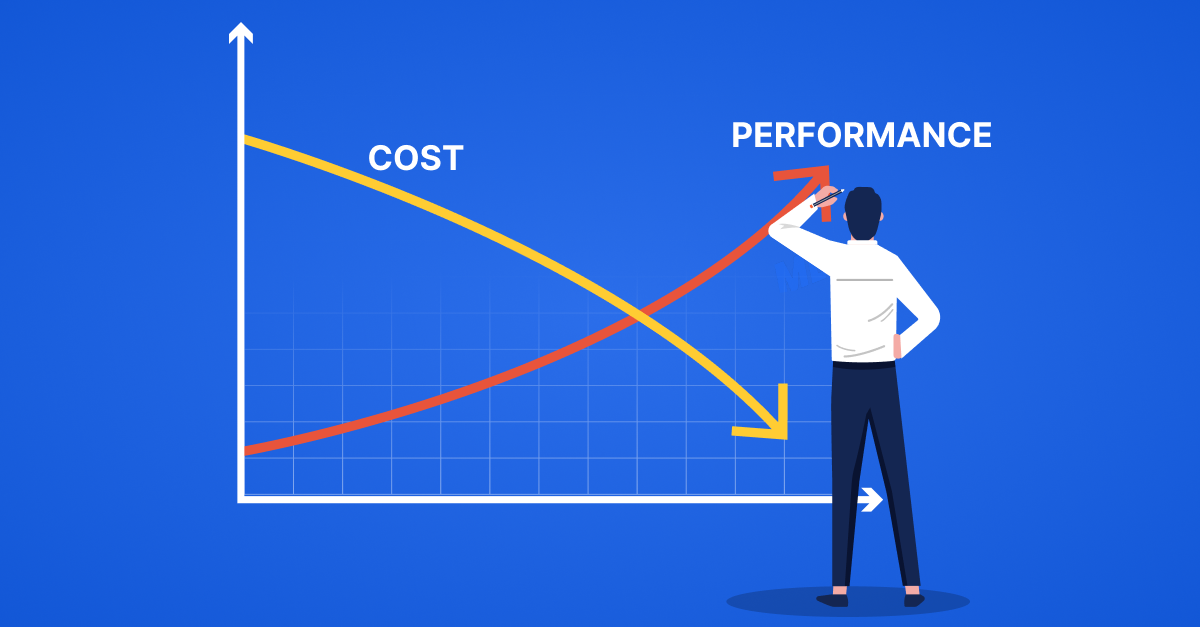
Balance Speed and Cost
Faster queries should not automatically mean higher infrastructure spending.
Organizations should consider the relationship between performance and cost.
Useful strategies include:
- Optimizing frequently used workloads first
- Matching resources to actual requirements
- Avoiding unnecessary processing
- Monitoring expensive queries
- Automating resource management
The goal is efficient performance, not unlimited spending.
Common Analytics Performance Mistakes

Many organizations encounter performance issues because of avoidable mistakes.
Common examples include:
- Adding infrastructure before optimizing queries
- Allowing duplicate calculations across teams
- Ignoring data model design
- Failing to monitor performance
- Building dashboards on inefficient datasets
- Treating performance as a one-time project
A proactive approach prevents small problems from becoming major limitations.
A Practical Performance Improvement Framework
Teams can improve analytics speed by following a structured process:
- Identify the slowest and most important workflows.
- Measure current performance.
- Optimize queries and data models.
- Create reusable datasets.
- Improve documentation and collaboration.
- Monitor results continuously.
- Repeat improvements as requirements change.
This approach ensures optimization efforts focus on areas that create real value.
Faster Analytics Creates Better Decisions
Performance is not just a technical measurement. It directly affects how effectively teams use data.
When queries run quickly, analysts can explore more ideas, engineers spend less time troubleshooting, and business teams receive insights faster.
The best analytics systems are not simply powerful. They are designed around the needs of the people using them.
By improving query efficiency, simplifying data structures, and creating better workflows, organizations can build analytics environments where teams spend less time waiting and more time discovering meaningful insights.
Fast queries create more than speed—they create momentum.